Understanding Pixel Game Text Effects: A Comprehensive Guide
Pick up any retro-style video game, and you'll likely notice the distinctive visual flair of pixel art. Among the most eye-catching elements in these games are the pixel game text effects that contribute to the immersive experience. These aren't just nostalgic throwbacks; they're carefully designed components that enhance gameplay, readability, and aesthetics. Whether you're a game developer, designer, or simply a fan of pixel art, understanding pixel game text effects can deepen your appreciation for the medium and open up creative possibilities in your own projects.
What Are Pixel Game Text Effects?
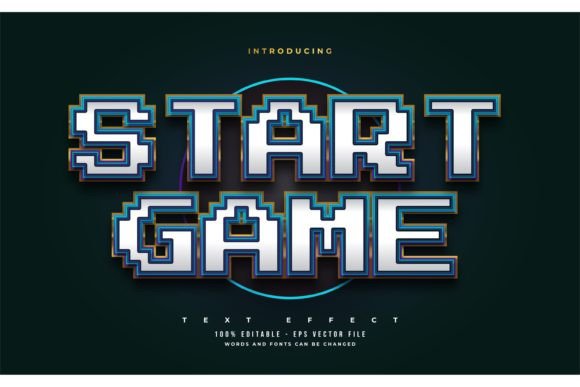
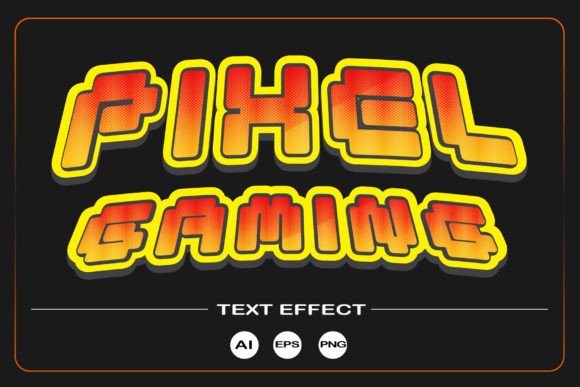
Pretty much every game needs to communicate information to the player, whether it's a character's dialogue, a score, or a menu option. In pixel-based games, developers and designers often use pixel game text effects to make that communication visually engaging. These effects can include outlines, shadows, glows, animations, and other stylistic treatments applied to text to make it stand out within the pixelated environment.
Unlike standard fonts used in modern web or print design, pixel text effects are usually created using bitmapped characters, meaning each letter is composed of individual pixels. This gives the text a blocky, retro look that aligns with the overall aesthetic of pixel art games.
Why Pixel Game Text Effects Matter
In the world of game design, every visual element plays a role in the user experience. Pixel game text effects are no exception. Here's why they're important:
- Visual Cohesion: They ensure that the text blends seamlessly with the rest of the pixel art environment.
- Readability: Even in a stylized format, text must remain legible. Good pixel text effects balance style and clarity.
- Immersion: The right text effect can enhance the game's atmosphere—think glowing runes in a fantasy RPG or flickering digital text in a sci-fi title.
- Branding: Unique text styles can become part of a game's identity, helping it stand out in a crowded market.
File Formats and Flexibility: AI, EPS, PNG Explained
When you're working with pixel game text effects, the file format you choose can have a big impact on your flexibility and quality. Here's a breakdown of the most common formats:
AI (Adobe Illustrator)
AI files are vector-based, which means they can be scaled without losing quality. This makes them ideal for creating or editing pixel text effects that you may want to resize for different parts of your game or marketing materials. However, since pixel art is inherently raster-based (made of fixed pixels), vector formats like AI are more useful for editing and design than for final implementation in a game engine.
EPS (Encapsulated PostScript)
Like AI, EPS is a vector format. It’s often used for high-quality print and can be useful for designers who want to maintain scalability when working with pixel text. However, similar to AI, EPS is more of a design tool than a format used directly in games.
PNG (Portable Network Graphics)
For actual implementation in a game, PNG is the go-to format. It supports transparency and high color depth, making it perfect for pixel text effects that need to overlay backgrounds or animate smoothly. A PNG file with a resolution of 3700 x 3800 pixels at 300 DPI ensures that the text will look sharp even when scaled up for different screen sizes or printed materials.
Editable Font Use: Why It’s a Game-Changer
One of the key features of modern pixel text effect packages is the inclusion of editable font use. This means that the font files (often in TTF or OTF format) are included in the product ZIP files, allowing you to customize the text to your liking. You can change the size, color, spacing, and even individual characters to suit your game's unique style.
Editable font use opens the door to a wide range of creative possibilities. For example:
- You can create custom HUD elements (like health bars or timers) using the same font style as your menu text.
- You can animate letters one by one by adjusting their positions or colors frame by frame.
- You can mix and match different pixel fonts to create visual variety across different game scenes.
Moreover, having access to the font files means you're not locked into a static image. You can generate new text assets on the fly, which is especially useful for games that support multiple languages or dynamic content like player names or scores.
How to Use Editable Pixel Fonts in Your Game
Using editable pixel fonts is relatively straightforward, especially if you're working with a game engine like Unity, Godot, or Construct. Here's a general workflow:
- Extract the ZIP file: Open the product ZIP file and locate the font files (usually TTF or OTF).
- Import the font into your game engine: Most engines allow you to import custom fonts directly into your project.
- Apply the font to UI elements: Assign the font to buttons, labels, or dialogue boxes in your game interface.
- Export or render as PNG: If needed, you can render specific text strings as PNG images for use in animations or static elements.
Many pixel font packages also come with sample textures or sprite sheets, which can be used directly in pixel art scenes without needing to render new text each time.
Free Fonts in Product ZIP Files: A Major Advantage
One of the best features of high-quality pixel game text effect packages is that they often include free fonts within the product ZIP files. This removes the legal and logistical hurdles of licensing fonts from third-party providers. You can use the fonts in both personal and commercial projects, giving you peace of mind and creative freedom.
These fonts are usually designed specifically for pixel art environments, with character sets that include not only standard letters and numbers but also special symbols, punctuation, and sometimes even game-specific glyphs like hearts, arrows, or inventory icons.
Common Misconceptions About Pixel Text Effects
There are a few common misunderstandings about pixel game text effects that are worth addressing:
- Misconception 1: "Pixel text is low quality." In reality, pixel text is a deliberate stylistic choice that can be incredibly detailed and expressive.
- Misconception 2: "You can't scale pixel fonts." While pixel fonts are best used at their native size, many modern engines allow for scalable rendering with pixel-perfect results.
- Misconception 3: "All pixel fonts are the same." Just like traditional fonts, pixel fonts vary widely in style, weight, and character set.
Practical Applications Beyond Gaming
While pixel game text effects are most commonly associated with video games, their applications extend into other areas:
- Web Design: Retro-themed websites or landing pages can use pixel fonts to create a nostalgic vibe.
- Print Media: Posters, flyers, and merchandise for indie games often incorporate pixel text for branding consistency.
- Education: Pixel fonts are used in educational games and tools to make learning more engaging, especially for younger audiences.
- Animation: Animators working in a pixel style can use these fonts to add stylized text to their projects.
Conclusion: Why You Should Care About Pixel Game Text Effects
Whether you're creating a retro-style game, designing a website, or just exploring the world of pixel art, understanding and using pixel game text effects can elevate your work. With the right tools—like editable fonts, high-resolution PNGs, and flexible file formats—you can bring a unique and professional touch to your projects. The beauty of pixel text lies in its simplicity and versatility, making it a powerful tool in both creative and commercial contexts.
So next time you boot up a pixel art game or start designing a retro-themed project, take a moment to appreciate the pixel game text effect. It's more than just a font—it's a bridge between past and present, between function and form, and between the player and the world you're building.