Born to Game: A Gamer's Statement for Every Project
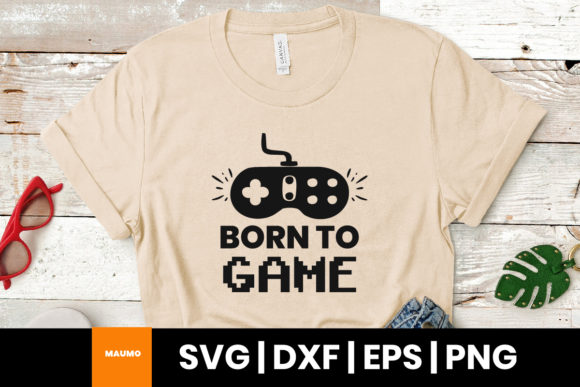
“Born to Game” is more than just a catchy gaming quote — it’s a declaration of identity for those who live and breathe video games. Whether you're a casual player, a competitive gamer, or someone who appreciates the culture and creativity around gaming, this phrase resonates deeply. It’s a perfect fit for printing on t-shirts, mugs, cushions, key holders, cards, and more, allowing fans to express their passion in everyday life. With its universal appeal and clean design, the “Born to Game” quote is ideal for personal projects or small business ventures targeting the gaming community.
What You Get and How to Use It
When you acquire the “Born to Game” design, you’ll receive a versatile set of files: one SVG for Cricut Explore, one DXF for Silhouette users, one EPS for Adobe Illustrator, Corel Draw, and Inkscape, and one PNG with 300 DPI resolution and a transparent background. These formats ensure compatibility across a wide range of design and cutting software, making it easy to bring your creative ideas to life.
Whether you're crafting custom apparel or designing promotional merchandise, these files offer flexibility and quality. However, there are some common mistakes people make when working with digital design files, especially if they're new to the process.
Choosing the Right File Format
One of the most frequent errors is selecting the wrong file type for the project at hand. For example, using a PNG file for a Cricut project can lead to poor cut quality because PNGs are raster images, not vector-based. Vector formats like SVG and DXF are essential for precise cutting, especially when working with machines like Cricut or Silhouette. EPS files are best for professional design work in Adobe Illustrator or Corel Draw, while PNGs are ideal for print-on-demand services or digital use where cutting isn’t involved.
Always double-check which format your software or cutting machine supports before downloading or purchasing. Misunderstanding file compatibility can lead to frustration, wasted time, and unnecessary costs.
Ignoring Resolution and Scaling
Another common oversight is not paying attention to resolution and scaling options. The PNG file included in the “Born to Game” package is high-resolution (300 DPI), which is great for printing. However, scaling vector files improperly can distort the design or cause issues during cutting. Always scale designs proportionally and preview them before cutting or printing.
For example, if you're using the SVG file for a t-shirt design and scale it incorrectly, the final print may appear stretched or misaligned. Taking a moment to adjust settings properly can save a lot of hassle and material waste.
Design Application and Presentation
When applying the “Born to Game” quote to physical products, it's important to consider placement and size. A design that looks great on a computer screen may not translate well to a mug or a keychain if not adjusted accordingly. Many creators forget to account for the shape and surface of the item they're printing on.
For instance, centering the quote on a mug might seem like the best approach, but if the handle or curvature of the mug interferes with the text layout, the result could be awkward or unprofessional. Previewing the design in the software with a product template or using mockups can help avoid this issue.
Overlooking File Licensing
Many people assume that once they've downloaded a design file, they can use it for any purpose — including resale. However, it’s crucial to check the licensing terms that come with the design. Some digital products are licensed for personal use only, and using them for commercial purposes without permission can lead to legal complications.
If you're planning to sell merchandise featuring the “Born to Game” quote, make sure the license allows for commercial use. If not, you may need to seek an extended license or contact the creator for permission.
Practical Tips for Getting the Most Out of Your Design
To ensure your projects using the “Born to Game” quote are successful, here are a few practical steps to follow:
- Test your design by printing a small sample or using a digital mockup before committing to a full run.
- Check file compatibility with your software and cutting machine before starting your project.
- Understand the licensing terms to avoid legal issues, especially if you're using the design for commercial purposes.
- Use layers wisely in design software to separate text and graphics, making it easier to adjust individual elements.
Communication and Presentation
If you're using the “Born to Game” quote for marketing or branding, clarity is key. Make sure the design is legible and fits the tone of your brand. Avoid overcrowding the design with too many elements, which can distract from the main message. Simplicity often works best, especially for wearable or promotional items.
Also, consider your audience. If you're targeting a broad demographic, a minimalist design with bold text may be more effective than an overly detailed graphic. Testimonials or customer feedback can help guide your design choices based on what resonates with others.
Making the Right Choice
Before purchasing or downloading the “Born to Game” design, take a few moments to review what’s included and how it aligns with your needs. Ask yourself:
- Will I be using this for personal or commercial purposes?
- Do I have the right software to open and edit the files?
- Is the design scalable and adaptable to different products?
- Have I checked the resolution and file type compatibility?
Answering these questions can help you avoid disappointment and ensure your project turns out exactly as planned.